Learning app
Khan Academy Kids
Playful reading, early maths and creative activities for young children.
Little learners
Free app; designed for ages 2–8.
Visit website khanacademy.orgTechnology to understand.
Style to make your own.
Culture to get lost in.
THE MVR LEARNING DIRECTORY
Find your next useful skill, fascinating subject or favourite learning tool. A world of learning, brought together.
LEARNING UPDATE · 8 OCTOBER 2026
Ten recent announcements and current provider updates to explore alongside our directory. Sources checked on 8 October 2026; availability, fees and event details may change.
A live team game connects classroom practice with skill mastery and shared goals. Available to Khan Academy district partners.
Read official update · new tab2026–27 school year · MathsKhan Academy adds AP Precalculus and refreshes AP Calculus AB and Illustrative Mathematics-aligned courses. Choose the course that fits your curriculum.
Read official update · new tab2026–27 school year · Subjects & careersKhan Academy adds grade-level grammar, AP Physics C: Mechanics, World History and Career Exploration, alongside updated science activities and financial literacy.
Read official update · new tab28 September 2026 · Teen learnersFive Experience AI lessons for ages 13–16 explain how language models work, how to evaluate answers and how to use AI to support your own thinking.
Read official update · new tab15 September 2026 · Ages 8–16Free themed Experience AI resources explore flood forecasting, social-media recommendations and evaluating AI claims. Educators can adapt activities to their learners.
Read official update · new tab14 September 2026 · Coding & spaceYoung people in eligible European countries and Canada can explore coding missions that run programs aboard the International Space Station. Check the official rules and deadlines.
Read official update · new tab20 August 2026 · Coding toolsThe Raspberry Pi Foundation announces offline support in its Code Editor, helping learners continue a programming lesson or project when their internet connection drops.
Read official update · new tabCurrent provider update · School computingThe provider expands its focus from computer science to digital fluency: understanding, directing, questioning and creating with AI. Its website remains at code.org.
Read official update · new tabCurrent curriculum · Grades 6–12CodeAI offers free, flexible AI learning for middle and high school. AI Foundations includes building web apps and responsible AI practice; choose the age-appropriate curriculum.
Read official update · new tabOctober 2026 · Science & educatorsNASA lists a cloud-observation challenge through 15 October and educator webinars on 15 and 27 October. Follow the official links for registration, timing and eligibility.
Read official update · new tabA GOOD FIRST CLICK
YOUR NEXT CHAPTER STARTS HERE
Try a broader word or choose a different learning stage or area.
AREA 01 8 RESOURCES
Stories, play and first discoveries.
Playful reading, early maths and creative activities for young children.
Little learners
Free app; designed for ages 2–8.
Visit website khanacademy.orgExplore games and videos with familiar PBS characters, from counting to everyday problem-solving.
Little learners
Some videos depend on your region.
Visit website pbskids.orgArrange visual blocks to make characters move and tell a first interactive story.
Little learners
App for younger children; explore with an adult.
Visit website scratchjr.orgListen to actors read illustrated children’s books and discover a new story together.
Little learners · School explorers
Start with a book that matches your child’s interests.
Visit website storylineonline.netDiscover animals, places, nature facts and quizzes for curious young readers.
Little learners · School explorers
A good starting point for a nature project.
Visit website kids.nationalgeographic.comTry NASA’s games and activities that introduce children to space and exploration.
Little learners · School explorers
Choose an activity together before getting started.
Visit website nasa.govPractise English through British Council songs, stories, word games and printable activities.
Little learners · School explorers
Free learning resources; classes are separate.
Visit website learnenglishkids.britishcouncil.orgFind reading, phonics and maths ideas from Oxford University Press for learning at home.
Little learners · School explorers
Includes a free eBook library; access requirements vary.
Visit website home.oxfordowl.co.ukAREA 02 7 RESOURCES
Build strong foundations, one subject at a time.
Build understanding through subject lessons and practice in maths, science and more.
School explorers · Teen learners · Youth & careers
Choose a subject and start at a comfortable level.
Visit website khanacademy.orgExplore school-subject explanations and revision resources organised around UK curricula.
School explorers · Teen learners
Choose your curriculum; some media may be region limited.
Visit website bbc.co.ukExplore digital textbooks and practice resources for school maths and science.
School explorers · Teen learners
Useful for reviewing one topic at a time.
Visit website ck12.orgBrowse NCERT’s official eBook options for Indian school subjects.
School explorers · Teen learners
Select the appropriate class, subject and language on NCERT.
Visit website ncert.nic.inFind textbooks, videos and interactive learning by board, grade and subject.
School explorers · Teen learners
Includes resources in Indian languages.
Visit website diksha.gov.inAccess NCERT digital textbooks and educational audio, video and other resources.
School explorers · Teen learners
Choose the student resources for your class and language.
Visit website epathshala.nic.inExplore textbooks for high-school and college subjects, including maths, science and social sciences.
Teen learners · Youth & careers
Use the online book options on the provider’s site.
Visit website openstax.orgAREA 03 4 RESOURCES
See the pattern. Try the problem. Find your way.
Plot functions and explore mathematical ideas visually with graphing tools.
School explorers · Teen learners · Youth & careers
Try changing one number and watching the graph respond.
Visit website desmos.comExplore geometry, algebra, graphs and 3D maths through interactive activities and calculators.
School explorers · Teen learners · Youth & careers
Useful for making an abstract idea visible.
Visit website geogebra.orgRead approachable explanations of numbers, algebra, geometry and probability.
School explorers · Teen learners
Pair a short explanation with a practice activity.
Visit website mathsisfun.comTry mathematical puzzles and problems that encourage reasoning and different approaches.
School explorers · Teen learners
A University of Cambridge maths enrichment project.
Visit website nrich.maths.orgAREA 04 5 RESOURCES
Explore the world through experiments and evidence.
Experiment with physics, chemistry, biology, earth science and maths in visual simulations.
School explorers · Teen learners · Youth & careers
Explore the free simulations from the University of Colorado Boulder.
Visit website phet.colorado.eduExplore space and Earth science through explanations, games and hands-on activities.
Little learners · School explorers
Start with a question about a planet, star or spacecraft.
Visit website spaceplace.nasa.govExplore teacher-tested science activities using everyday materials and clear explanations.
School explorers · Teen learners · Youth & careers
Read the materials and supervision guidance before an activity.
Visit website exploratorium.eduExplore biology through animations, films, classroom activities and scientific data.
Teen learners · Youth & careers
Useful for deeper study alongside a class or textbook.
Visit website biointeractive.orgExplore science learning resources and virtual lab experiences in one library.
Teen learners · Youth & careers
Choose a topic or learning pathway to get started.
Visit website labxchange.orgAREA 05 11 RESOURCES
From a first animation to a working website.
Learn HTML, CSS, JavaScript, Python, SQL and more with examples you can edit and run.
Teen learners · Youth & careers
Free tutorials; certificates and some extras are paid.
Visit website w3schools.comMake animations, stories and games using blocks instead of typing code.
School explorers · Teen learners
Explore a beginner project before joining the sharing community.
Visit website scratch.mit.eduExplore computer science, coding and AI learning activities designed for school learners.
School explorers · Teen learners
Choose a course that matches your experience.
Visit website code.orgBuild coding skills through interactive exercises and practical programming projects.
Teen learners · Youth & careers
Pick one learning track and work through it steadily.
Visit website freecodecamp.orgLearn the foundations of HTML, CSS and JavaScript with structured web-development guides.
Teen learners · Youth & careers
Start with the getting-started modules if you are new.
Visit website developer.mozilla.orgFollow a web-development curriculum that combines reading, practice and portfolio projects.
Teen learners · Youth & careers
Best with a computer and time for hands-on projects.
Visit website theodinproject.comExplore computer science fundamentals through Harvard’s lectures and programming problem sets.
Teen learners · Youth & careers
A challenging starting point; certificate options have separate terms.
Visit website cs50.harvard.eduPractise a programming language through focused exercises and feedback-oriented learning.
Teen learners · Youth & careers
Choose a language track and begin with the introductory exercises.
Visit website exercism.orgFollow step-by-step creative coding and physical-computing projects.
School explorers · Teen learners · Youth & careers
Some projects run in a browser; others need hardware.
Visit website projects.raspberrypi.orgExplore lessons and project ideas that connect code with a small programmable device.
School explorers · Teen learners
Check which activities require a micro:bit board.
Visit website microbit.orgTry block-based programming for micro:bit and test ideas in the browser simulator.
School explorers · Teen learners
A useful first step before working with a physical board.
Visit website makecode.microbit.orgAREA 06 5 RESOURCES
More confidence in reading, writing and conversation.
Practise reading, listening, grammar and vocabulary with resources for adult learners.
Youth & careers
Free learning materials; account registration is for adults.
Visit website learnenglish.britishcouncil.orgImprove English with British Council reading, writing, listening and exam-practice resources.
Teen learners
Choose a language level that feels manageable.
Visit website learnenglishteens.britishcouncil.orgBuild a language-learning habit through short, interactive practice sessions.
Teen learners · Youth & careers
Free and paid features; check account age requirements.
Visit website duolingo.comLook up meanings, examples and pronunciation while reading or writing in English.
School explorers · Teen learners · Youth & careers
Use example sentences to understand a word in context.
Visit website dictionary.cambridge.orgFind guidance for academic writing, citations, research papers and professional documents.
Teen learners · Youth & careers
A useful companion when writing an assignment.
Visit website owl.purdue.eduAREA 07 5 RESOURCES
Make something that did not exist yesterday.
Explore 3D design and simulated circuits through a browser-based creative tool.
School explorers · Teen learners · Youth & careers
An account may be needed; younger learners should use the appropriate parent or classroom flow.
Visit website tinkercad.comExplore rhythm, melody and sound through playful, hands-on browser experiments.
Little learners · School explorers · Teen learners · Youth & careers
No account needed to open an experiment.
Visit website musiclab.chromeexperiments.comExplore artworks, museum collections, places and stories from cultural institutions.
School explorers · Teen learners · Youth & careers
Pick an artist, historical period or place to explore.
Visit website artsandculture.google.comFind tutorials for learning Blender’s 3D modelling, animation and creative workflows.
Teen learners · Youth & careers
Desktop software is needed for hands-on practice.
Visit website blender.orgExplore digital painting, layers, line art and drawing workflows in the Krita manual.
Teen learners · Youth & careers
Use alongside the Krita drawing application.
Visit website docs.krita.orgAREA 08 8 RESOURCES
Build practical knowledge for the connected world.
Explore guided modules for Microsoft technologies, development, cloud, data and AI.
Teen learners · Youth & careers
Training, certifications and product usage can have different requirements.
Visit website learn.microsoft.comExplore networking, cybersecurity and programming courses from Cisco’s learning platform.
Teen learners · Youth & careers
Check the format and prerequisites of each course.
Visit website netacad.comExplore AI, cybersecurity, data and workplace skills through IBM’s learning pathways.
Teen learners · Youth & careers
Choose the high-school, university or adult learner route.
Visit website skillsbuild.orgLearn Google tools for digital advertising, measurement and marketing.
Youth & careers
Choose a product to find its training and assessment options.
Visit website skillshop.withgoogle.comExplore what AI is, how it works and the questions it raises through an introductory course.
Teen learners · Youth & careers
The introduction course offers free access with registration.
Visit website course.elementsofai.comExplore short tutorials in Python, pandas, data visualisation and machine learning.
Teen learners · Youth & careers
Practise in notebooks; an account may be needed.
Visit website kaggle.comLearn repositories, collaboration and development workflows through interactive GitHub courses.
Teen learners · Youth & careers
Hands-on exercises use GitHub; an account is needed to participate.
Visit website learn.github.comExplore Google’s online-safety activities about sharing, scams, passwords and kindness.
Little learners · School explorers
A useful digital-literacy activity to explore with a parent or teacher.
Visit website beinternetawesome.withgoogle.comAREA 09 6 RESOURCES
Go deeper with institutions and course providers.
Explore MIT course materials across engineering, computing, science and the humanities.
Youth & careers
Self-study materials; not enrolment in an MIT degree.
Visit website ocw.mit.eduExplore free learning from The Open University across a wide range of subjects.
Teen learners · Youth & careers
Choose a short introductory course to try something new.
Visit website open.eduExplore courses from Indian institutions across school, higher education and professional subjects.
Teen learners · Youth & careers
Course schedules and optional certification exam fees vary.
Visit website swayam.gov.inExplore lecture-based learning and courses from IITs and IISc across technical subjects.
Youth & careers
Review course dates and optional exam requirements.
Visit website nptel.ac.inExplore courses and programmes from universities and industry partners.
Youth & careers
Access and certificate prices vary; review the course before enrolling.
Visit website coursera.orgExplore online courses from universities and other education providers.
Youth & careers
Access options, deadlines and certificate prices vary by course.
Visit website edx.orgAREA 10 5 RESOURCES
Build better habits for practice, revision and research.
Practise keyboard skills with guided lessons and typing activities.
School explorers · Teen learners · Youth & careers
Build accuracy first, then work on speed.
Visit website typing.comExplore practical lessons in computer skills, productivity and everyday learning.
Teen learners · Youth & careers
GCFGlobal’s learning site now directs to LearnFree.
Visit website learnfree.orgCreate flashcards and review them with spaced repetition to support long-term recall.
Teen learners · Youth & careers
Desktop and Android options are free; the official iOS app is paid.
Visit website apps.ankiweb.netCreate or explore flashcards and practice activities for revision.
Teen learners · Youth & careers
Free and paid features; check shared sets against your learning materials.
Visit website quizlet.comCollect sources, organise research and create citations for essays and projects.
Youth & careers
Free software; additional online storage is optional and paid.
Visit website zotero.orgA LITTLE GUIDANCE
This is a directory: lessons and activities stay on the linked providers’ websites. Use search and filters to find a starting point, then choose Visit website.
Learning-stage labels are browsing suggestions. Parents and carers can help younger children choose activities and check each provider’s account-age rules. Some providers charge for courses, certificates, apps or extra features; check the options on their site.
Directory curated 28 September 2026 · Updates added 8 October 2026 · Independent recommendations · No affiliation implied
TAKE PART · OFFICIAL ORGANIZERS
Open opportunities checked against organizer pages. International entry remains subject to each organizer's eligibility and local rules.
Creo / World Photography Organisation
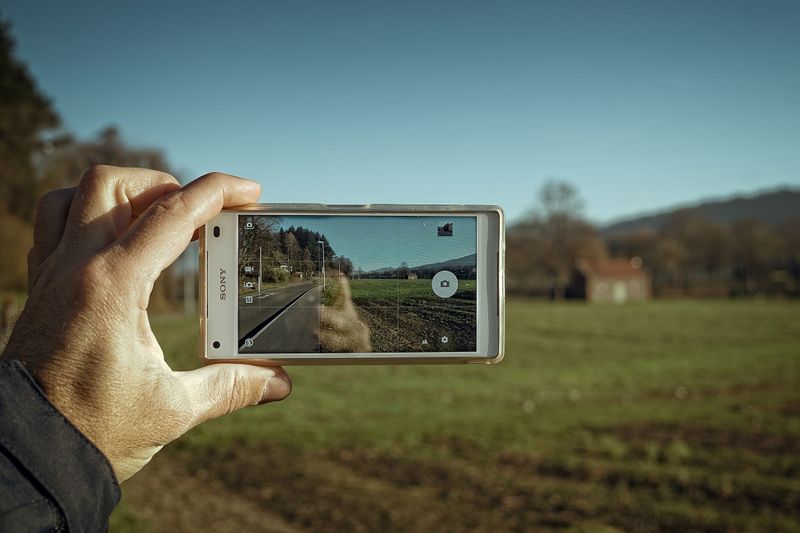
Enter a standalone photograph in the organizer's international photography competition. Read the category and image-rights rules before submitting.
Use your own eligible photography. This is a photography award, not an AI-image generation contest.
Read official rules & enter ↗ Editorial review: 2026-11-16 · Source checked: 16 Nov 2026, 04:10 UTC · SourceCreo, in partnership with Sony
A short-film competition spanning Fiction, Non-Fiction, Animation, Immersive, Student and Future Format. Film length and format requirements differ by category.
Read all category rules and rights provisions. MVR Magazine does not accept entries or guarantee selection.
Read official rules & enter ↗ Editorial review: 2026-11-16 · Source checked: 16 Nov 2026, 04:10 UTC · SourceBow Seat Creative Action for Conservation
Create an original response to environmental disinformation through art, writing, film, performance or multimedia. Handcrafted fashion and jewellery are among the visual-art forms listed by the organizer.
AI-generated entries are prohibited. Submit only through Bow Seat's official platform; never send a child's personal information to MVR Magazine.
Read official rules & enter ↗ Editorial review: 2026-11-16 · Source checked: 16 Nov 2026, 04:10 UTC · SourceMVR Magazine is an independent listing service, not the organizer or an entry agent. No payment or entry materials are collected here. Confirm the official rules before applying. Expired listings are hidden automatically. Source checks do not replace editorial review.
LEARN AI WITH A PURPOSE
Learn model limitations, responsible use and how to verify an answer. Use the AI resources in the directory below, then explain one useful task and its risks in your own words.
Explore digital & career resources ↓Students: create a source-based revision aid and check every answer. Office teams: prototype a summary workflow using public sample material. Developers: build a small grounded assistant and test incorrect inputs. Keep a short record of what worked and what failed.
Use the six paths below to match your experience and goal. Follow the official blueprint and practise regularly; collect evidence of skills alongside the credential.
Compare AI certifications ↓AI CAREER PATHS · REVIEWED 10 OCTOBER 2026 IST
Start with the role you want, then choose one platform. For business understanding, explore Google’s Generative AI Leader or AWS AI Practitioner. For Azure development, build Python and cloud foundations before AI-901 or AI-103. Production ML credentials suit people with practical engineering experience.
The best starting reference: the provider’s current exam blueprint. It defines the scope; follow its official training and practice resources before buying extra courses. A course-completion certificate or skill badge is different from an exam-based certification.
Business · non-coding
For office professionals, managers and students interested in AI adoption. Google lists no prerequisites.
Study the official exam guide, complete the Generative AI Leader learning path, then try the provider’s sample questions. Practise choosing a use case, explaining risks and measuring business value. Sample-question results do not predict a pass.
Official certification & preparation ↗
Official study reference ↗
Foundational · AWS
For foundational AI, ML and generative AI knowledge in an AWS context; not a production engineering credential.
Read every exam-guide domain. Follow the AWS Skill Builder prep plan linked on the certification page. Use official practice questions, revise weak areas and explain why each alternative is unsuitable. New to cloud? Take the introductory cloud courses linked by AWS first.
Official certification & preparation ↗
Official study reference ↗
Foundation · Python & Azure
For learners beginning AI solution development. Microsoft expects basic Python syntax and familiarity with Azure resources.
Use the current AI-901 study guide and linked training. Practise a small Foundry chat or agent client and identify responsible-AI concerns. Use the official practice assessment linked in the guide; AI Skills Navigator sign-in is required. This is not the older AI-900 syllabus.
Official certification & preparation ↗
Official study reference ↗
Developer · Python experience
For developers building, managing and deploying Azure AI apps and agents with Microsoft Foundry.
Work through the current blueprint and linked Microsoft training. Build and evaluate a grounded assistant, implement tool use with access controls, and practise text, vision and information-extraction tasks. Explain security, monitoring and cost decisions. AI-102 retired on 30 June 2026; use AI-103 materials.
Official certification & preparation ↗
Official study reference ↗
Technical · production ML
For people with hands-on AWS ML engineering experience. AWS is transitioning its English exam to the MLA-C02 beta.
Verify the exam version before choosing training. The English MLA-C01 ended on 28 September 2026; AWS lists MLA-C02 beta delivery from 29 September. Use the updated guide and prep plan on the provider page. Practise data preparation, deployment, monitoring and secure generative-AI workflows.
Advanced · Google Cloud experience
For experienced practitioners working with production AI/ML on Google Cloud. Google recommends substantial hands-on experience.
Use the exam guide, official learning path and sample questions linked on the certification page. Build a pipeline with data validation, training, evaluation and deployment; practise monitoring and secure operations. Explain service trade-offs instead of memorising product names.
This is an MVR planning suggestion, not a provider timetable or pass guarantee. For a foundation exam, try four weeks with 45–60 minutes on five days each week. Technical exams usually need a longer plan and existing hands-on experience.
You can explain the assessed topics without notes, apply them to unfamiliar scenarios, and justify the correct answer against plausible alternatives. For technical paths, you can build, secure and troubleshoot a small solution. Practice scores are diagnostic; they do not guarantee an exam result. Use authorised practice material rather than leaked exam dumps.
For learners in India: verify local checkout currency, applicable taxes, identity requirements and available test centres or online-proctoring rules with the provider. Some training, labs and practice exams require payment or a subscription; free reading does not mean a free certification exam.
Original MVR guidance prepared with AI assistance, based on the linked official references. Reviewed 10 October 2026 IST; providers may update exam versions and requirements. Editorial policy · Corrections
THE MVR EDIT · ORIGINAL EXPLAINERS & REPORTS
Read the story here. Original writing, credited images and the references at the bottom of each piece.
Learning · Education initiative explained
MVR published 16 Nov 2026 · Source published 2026-11-05

The Raspberry Pi Foundation reports that Experience AI launch events have taken place in Brazil, Chile, Argentina and Mexico. Its 5 November update describes work with local organisations to help teachers introduce young people to AI and its social and ethical implications.
Rather than assuming that one classroom approach fits every country, the programme works with partners familiar with their own education systems. In Argentina, the foundation describes a university network helping deliver teacher development across different regions.
Learning about AI should include asking how a system reaches an answer and where it can be wrong, alongside trying useful tools. Teachers and families can look for resources that encourage explanation, checking and discussion. The programme’s future reach figures are targets, not completed outcomes; MVR is not presenting participation as proof of improved grades or employment prospects.
MVR LEARNING WORKSHOP · NOVEMBER 2026
A practical seven-day plan: choose one small outcome, practise for 20 minutes a day, then keep a finished example and a note about what you verified. These are MVR exercises, not job or certification guarantees.
Pick one task from an official learning path. Complete a small exercise and record what you can do without a tutorial. Check assessment requirements, availability and any charges on the provider’s current page before committing.
Microsoft Applied Skills →Use NASA’s November guide to plan one safe observation. Record the date, time, location and cloud cover. Compare what you actually saw with what was predicted, and keep observations separate from explanations.
NASA November guide →Choose a non-sensitive paragraph from your notes. Ask an AI tool for practice questions, then check every answer against the original material. Correct one error and write down how you found it. Keep the verified notes as your study reference.
Use MVR’s source-first tutorial →